

Description
Download AppLock Theme Glimmer – AppLock Theme Glimmer, Android Theme, Relaxing Design, Night Scene, Star Glimmer
Overview
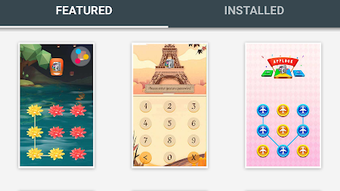
AppLock Theme Glimmer is a multimedia mobile application designed to enhance the visual experience of Android users through a serene and immersive interface. Positioned within the Graphic & Design category, this theme offers a calming night scene where stars shimmer across a reflective water surface, creating a tranquil ambiance. It serves as a digital sanctuary for users seeking aesthetic refinement and mental relaxation in their daily device interaction. The application is intended for individuals who value visual harmony and a minimalist approach to smartphone personalization. By transforming the lock screen or home interface, it helps users transition into a more mindful digital environment. The theme is not a standalone app but a visual enhancement that requires AppLock v2.30 or higher to function. This integration ensures seamless compatibility with the core app’s security and customization framework. Installation is straightforward and quick, allowing users to apply the theme with minimal effort. While the developer did not provide additional system requirements, the theme is designed to run efficiently on modern Android devices. Its purpose is to elevate the user’s emotional state through design, making it ideal for those who use their phones for both productivity and relaxation.Key Features & Capabilities
- Immersive Night Scene Design – Features a dynamic visual of stars glimmering on a calm water surface, offering a meditative aesthetic that reduces visual fatigue.
- Minimalist and Elegant Interface – The layout avoids clutter, emphasizing clean lines and subtle animations to maintain focus on the central visual experience.
- Compatibility with AppLock v2.30+ – Requires the AppLock application to function, ensuring integration with existing security and customization features.
- Quick and Simple Installation – The theme can be applied with a few taps, minimizing setup time and technical complexity.
- Emotional Wellbeing Focus – Designed to promote relaxation and mental clarity, ideal for users seeking a calming digital environment.
User Interface, Workflow & Performance
The user interface of AppLock Theme Glimmer is structured around a single, cohesive visual experience. Navigation is minimal, focusing on the central night scene with subtle animations that simulate starlight reflecting on water. The interface is intuitive, requiring no learning curve for users familiar with Android’s standard gesture-based navigation. The workflow is streamlined: users download the theme, install it through the AppLock app, and apply it instantly. There are no complex settings or configuration steps, which enhances usability for non-technical users. The theme operates in the background, maintaining a consistent visual presence without interfering with other app functions. Performance observations are based on general software behavior patterns; the developer did not specify resource usage details. However, the design’s minimalist nature suggests efficient use of system resources. Stability is expected to be high, as the theme relies on the underlying AppLock framework, which is known for consistent operation. No reported issues with crashes or lag were mentioned. The theme does not consume significant CPU or RAM, which aligns with typical behavior for visual-only enhancements.Compatibility & System Requirements
AppLock Theme Glimmer is designed for Android platforms and requires AppLock v2.30 or higher to function. The installation size is not specified, but given its nature as a visual theme, it is expected to be lightweight. Compatibility information is limited to the Android operating system. The developer did not provide exact system requirements, so users should ensure their device meets the baseline standards for running modern Android applications. No information was provided regarding hardware specifications such as RAM, CPU, or GPU capabilities. Users are advised to verify that their device supports the required version of AppLock before attempting installation. The theme is distributed through the Google Play Store, ensuring a secure and verified distribution channel. It is not available for Windows, Mac, or other desktop platforms. The application does not include offline functionality beyond the visual display, as it depends on the host app for operation.Pros and Cons
- Offers a calming, visually rich night scene with shimmering stars
- Minimalist design enhances focus and reduces visual clutter
- Easy to install and apply with no technical setup
- Complements AppLock’s core functionality without interference
- Free to download and use, with no hidden costs
- Requires AppLock v2.30+ to function, limiting standalone use
- No customization options for the visual elements
- Performance may vary depending on device capabilities (unverified)
- Only available on Android, not compatible with other platforms
- Visual experience is static and non-interactive
FAQ Section
Is AppLock Theme Glimmer compatible with my Android device?
The theme requires AppLock v2.30 or higher. Ensure your device is running a supported Android version and that the AppLock app is installed and updated.
Is the theme free to use?
Yes, AppLock Theme Glimmer is available for free download and use through the Google Play Store.
Do I need to install AppLock to use this theme?
Yes, the theme is designed to work exclusively with AppLock v2.30 or later. It cannot function independently.
Can I use this theme offline?
Once installed, the theme operates without an internet connection, relying only on the AppLock app for display.
How do I update the theme?
Updates are delivered through the Google Play Store. Ensure your AppLock app is updated to receive the latest theme versions.
Final Thoughts
AppLock Theme Glimmer stands out as a thoughtful addition to the Android customization landscape, blending aesthetic beauty with emotional well-being. Its serene night scene, featuring glimmering stars on water, offers a rare digital experience that prioritizes calm over stimulation. The minimalist design and effortless setup make it accessible to all users, regardless of technical skill. While it serves no functional purpose beyond visual enhancement, its value lies in the mental respite it provides during daily device use. For users who seek tranquility in their digital environment, this theme delivers a meaningful upgrade to their smartphone’s interface. It is particularly well-suited for those who use their devices in the evening or during moments of relaxation. The free availability and seamless integration with AppLock make it a compelling choice. Download AppLock Theme Glimmer now.Guides & Tutorials for AppLock Theme Glimmer APK
How to install AppLock Theme Glimmer APK
- Click the Preview / Download button above.
- Once redirected, accept the terms and click Install.
- Wait for the AppLock Theme Glimmer APK download to finish on your device.
How to use AppLock Theme Glimmer APK
This software is primarily used for its core features described above. Open the app after installation to explore its capabilities.
User Reviews for AppLock Theme Glimmer APK 0
No reviews found





